
Leaderboards#
Leaderboards are an ordered record of ranked players based on a rubric of the developers design.
To use Leaderboards, a developer must create a leaderboard object in the admin console.
Creating a Leaderboard#
Click the Create button:

This will bring up a Create Window. The only required fields are Name and Sort By. The Sort By property is what will be used in code to submit leaderboard listings.
Copy the Uid:

Then click Create:
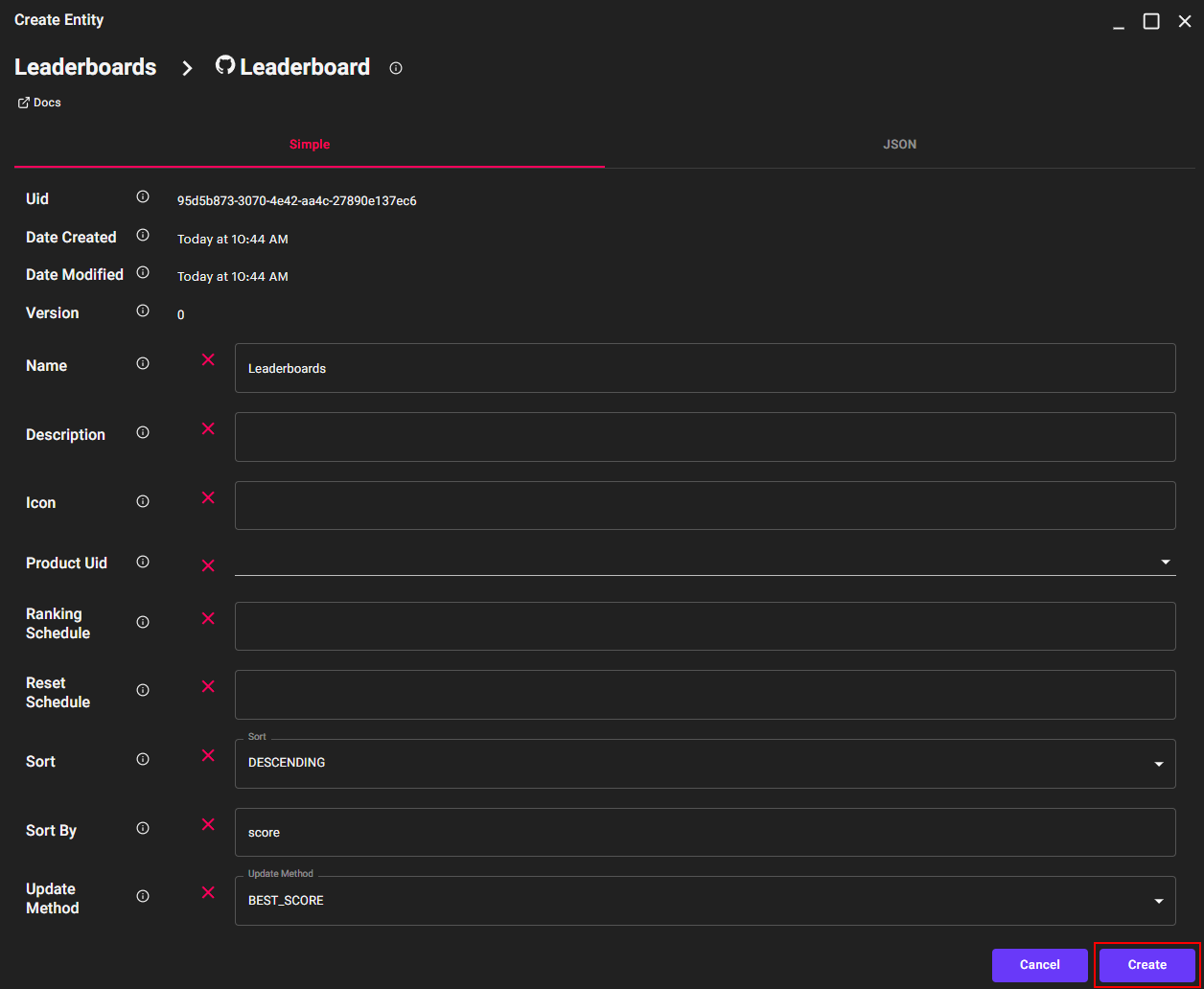
This will add a Leaderboard to Xsolla Backend.
Getting Leaderboards#
In code, to access Leaderboards, a reference to the LeaderboardService must be pulled:
LeaderboardService boardService = _serviceFactory.GetService<LeaderboardService>();
With a reference to the LeaderboardService and the Leaderboard Uid the Leaderboard object can be pulled from the server:
leaderboard = await boardService.FindById(<LEADERBOARD_ID>);
A Leaderboard object is used to pull a listing of LeaderboardRecord objects.
- To retrieve the LeaderboardRecords from the leaderboard, a reference to the LeaderboardRecordService and the
PersonaService are needed:
1// Get a reference to the record service
2LeaderboardRecordService recordService = _serviceFactory.GetService<LeaderboardRecordService>();
3
4// Get a reference to the persona service to pull player names from leaderboard record data
5PersonaService personaService = _serviceFactory.GetService<PersonaService>();
Using the LeaderboardRecordService, a Leaderboard’s records can be pulled:
List<LeaderboardRecord> records = await recordService.FindAll(leaderboard.Uid.ToString());
LeaderboardRecord objects contain a reference to a user’s Persona id.
Once the LeaderboardRecord objects have been pulled they can be processed:
1foreach (LeaderboardRecord record in records)
2{
3    // Grab the persona of the player on the leaderboard record
4    Persona persona = await personaService.FindById(record.PersonaUid.ToString());
5}
The PersonaService is used to pull that user’s Persona object.
Sending Leaderboard Records#
When sending a new or updated record a reference to the LeaderboardService is required.
LeaderboardService boardService = _serviceFactory.GetService<LeaderboardService>();
To create a new LeaderboardRecord, a LeaderboardRecord object needs to be created and populated to be sent to the server.
The Required fields are:
PersonaUid: Persona Uid of the local user
LeaderboardUid: Leaderboard Uid of the leaderboard updated
Stats: AXR Object representing the value to be ordered
1record = new LeaderboardRecord()
2{
3    PersonaUid = Guid.Parse(_personaId),
4    LeaderboardUid = leaderboard.Uid,
5    Stats = stats
6};
The stats object can be created as a Key-Value pair, with the Sort By variable, defined in the Leaderboard Object created in the Admin Console, as the key:
1AXRObject stats = new axr.sdk.Object();
2stats["score"] = xp;
Once the local LeaderboardRecord object is created, it can be sent to the server; using the Create method:
record = await recordService.Create(_leaderboardId, record);